
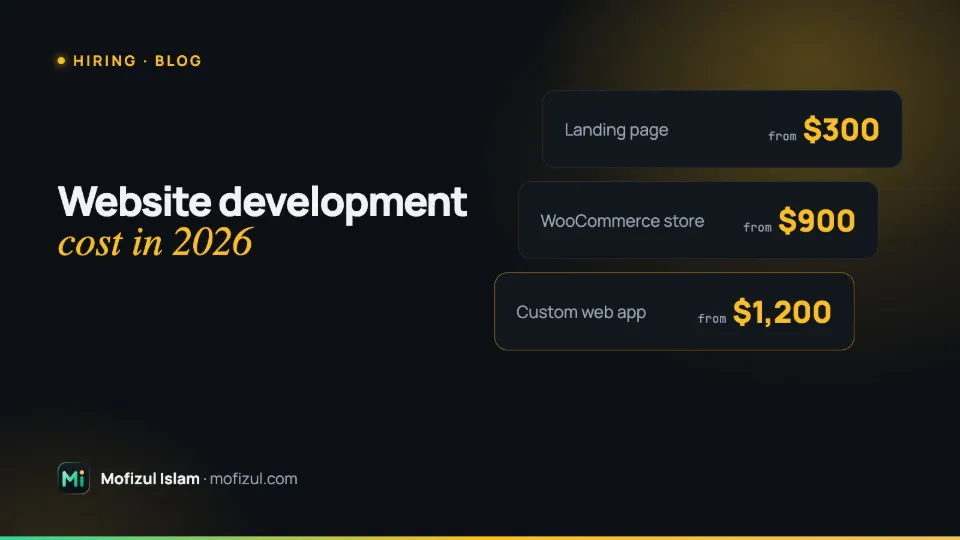
Short answer: Website development cost depends on the type of site, its features, the design and who builds it. As a starting point, my prices begin at about $300 for a landing page, $900 for a WooCommerce store and $1,200 for a custom web or mobile app. Also budget for hosting and maintenance.
"How much does a website cost?" is the first question most clients ask me. The honest answer is "it depends". That answer is not very helpful on its own, though. So this guide breaks website development cost into clear parts, and it shows real starting prices.
What drives website development cost?
Five things decide most of the price:
- The type of site: a landing page, a business site, a store or a custom app.
- Features: forms, bookings, payments, logins, integrations.
- Design: a ready theme, a customized theme, or a fully custom design.
- Content: who writes the text and provides the photos.
- Who builds it: a freelancer, a small agency or a large agency.
Of these, features usually matter most, because each one needs building, testing and maintaining.
Website cost by type
For reference, here are my own starting prices. Agencies often charge more, mainly because of overhead.
- Landing page, from $300. One focused page for a product, campaign or service.
- Business website. A few pages, a blog and a contact form. Usually a little more than a landing page, depending on page count.
- WooCommerce store, from $900. Products, cart, payments, shipping and the key integrations.
- Custom web application, from $1,200. Logins, dashboards, business logic and APIs, built with Laravel and React.
- Mobile app, from $1,200. A cross-platform Flutter app for Android and iOS.
These are starting points. Larger projects get a fixed quote after a short call, because scope drives the price.
Hidden costs to plan for
Unfortunately, many budgets break on costs nobody mentioned at the start. So include these from day one:
- Domain name and business email.
- Hosting, which ranges from a few dollars to much more per month.
- Premium plugins, themes or app subscriptions.
- Stock photos, copywriting or translation.
- Ongoing maintenance, updates and backups.
Freelancer, agency or DIY?
At first, a DIY builder is the cheapest option. However, you pay with your time, and growth can be limited. Meanwhile, a freelancer gives you senior skills and direct contact at a lower price than an agency. Finally, an agency adds project managers and designers, which helps for large projects but raises the price. If you go the freelance route, read my guide on how to hire a freelance web developer.
How to lower website development cost without cutting quality
- Start with an MVP. Launch the core features first, then add more based on real feedback.
- Use proven tools. WordPress and WooCommerce cover many needs without custom code. My Laravel vs WordPress comparison helps you decide when custom code is worth it.
- Prepare your content. Ready text and images can save days of work.
- Be clear about scope. A one-page brief prevents expensive changes later.
Why the cheapest quote can cost more
In fact, a very low quote often means missing pieces: no testing, no security, no support or slow code. As a result, you pay again to fix it later. Instead, compare what each quote includes. Look for testing, launch help, speed, security and a short support period.
Ongoing costs after launch
Remember that a website is not a one-time purchase. It needs updates, backups and monitoring to stay fast and safe. In practice, budget a small monthly amount for maintenance, or a few hours each month with your developer. My WordPress security checklist shows what that work includes.
Example budgets
To make this concrete, here are three typical projects and what drives their cost.
A consultant's website. Five pages, a blog and a contact form on WordPress. Because the features are standard, most of the budget goes into design and content. As a result, it sits near the low end of the range.
A growing online store. A WooCommerce shop with a few hundred products, two payment methods and shipping rules. Here, the cost depends on integrations, such as an accounting or inventory system. Good hosting also matters more, so plan for it.
A customer portal. Users log in, book services and pay invoices. This needs a custom Laravel application, so the website development cost is higher. However, it also replaces manual work, which often pays the project back quickly.
Google's SEO starter guidance is also worth reading before you budget, since search visibility affects how fast a site pays for itself.
A simple website cost estimate in three steps
- Pick the site type from the list above.
- List the features you truly need at launch.
- Add hosting, domain and a monthly maintenance budget.
That gives you a realistic range before you talk to anyone, and it makes every quote easier to compare.
Website cost: common questions
Why do quotes vary so much?
Quotes differ because they include different things. For example, one may cover design, testing and support, while another covers only development. So always compare the scope line by line.
Can I pay in stages?
Yes. In fact, milestone payments are the norm, and they protect both sides. Typically, you pay a deposit, then a share after each milestone.
Is a cheaper theme good enough?
Often, yes. A well-coded theme with small custom changes can look great and keep your website development cost low. However, avoid heavy multipurpose themes, since they slow the site down.
Get an accurate quote
Website development cost depends on your goals, features and timeline, so a short conversation is the fastest way to a real number. Send me your project details, or see my starting prices, and I will reply with a clear estimate.