
Hosting is the foundation of every WordPress site. A good host makes your site fast, stable and easy to recover. A poor one, on the other hand, causes slow pages, random downtime and long support waits. Yet many owners pick a plan only by price. In this guide, I explain how to choose WordPress hosting with a few clear criteria.
I work on WordPress sites across many hosts, so I see the difference hosting makes every week. Here is what I look for.
The main types of WordPress hosting
Shared hosting
With shared hosting, your site shares a server with many others. It is the cheapest option, and it works for small, low-traffic sites. However, a busy neighbour can slow your site down, and resources are tight.
VPS or cloud server
With a VPS, you get your own slice of a server with guaranteed resources. As a result, performance is more predictable. On the downside, someone must manage the server, including updates and security, unless the plan is managed.
Managed WordPress hosting
Here, the host tunes the server for WordPress and handles caching, backups, updates and security. It costs more. In return, you save time, and support staff actually understand WordPress problems.
The specs that matter when you choose WordPress hosting
- Modern PHP. PHP 8.2 or newer is noticeably faster than old versions.
- Fast storage. NVMe SSD storage speeds up database work.
- Caching. Server-level page caching, plus an object cache such as Redis for dynamic sites.
- Enough PHP workers. These handle uncached requests. Stores and membership sites need more of them.
- Server location. Choose a data center near most of your visitors, then add a CDN for everyone else.
In other words, raw numbers like "unlimited bandwidth" matter far less than these practical points.
Backups, security and support
First of all, daily automatic backups, with easy one-click restores, are essential. Ideally, backups are stored off the main server too. In addition, look for a firewall, malware scanning and free SSL certificates. My WordPress security checklist lists what you should still handle yourself.
Equally, support matters more than most people think. So before buying, ask a technical question and see how fast and how well they answer. That small test tells you a lot.
WordPress hosting for WooCommerce stores
Online stores, however, have special needs. Cart, checkout and account pages cannot be cached, so every visitor there uses PHP and the database. Therefore, a store needs more PHP workers, an object cache and a fast database. Cheap shared plans often struggle during sales. For more on this, see my WooCommerce speed optimization guide.
How hosting affects speed and SEO
Notably, server response time is the first step of every page load. If the server is slow, nothing else can fully make up for it. As a result, hosting directly affects LCP, one of Google's Core Web Vitals. My WordPress Core Web Vitals guide explains the rest of the picture. To test a host, check the time to first byte with PageSpeed Insights before and after moving.
Red flags to avoid
- Very low intro prices that rise sharply on renewal, so always check the renewal price.
- Old PHP versions with no easy upgrade path.
- Backups that cost extra or cannot be restored by you.
- "Unlimited" plans with hidden limits on CPU or files.
- Support that only sends links to help articles.
A simple way to choose WordPress hosting
- Estimate your traffic and whether you sell online.
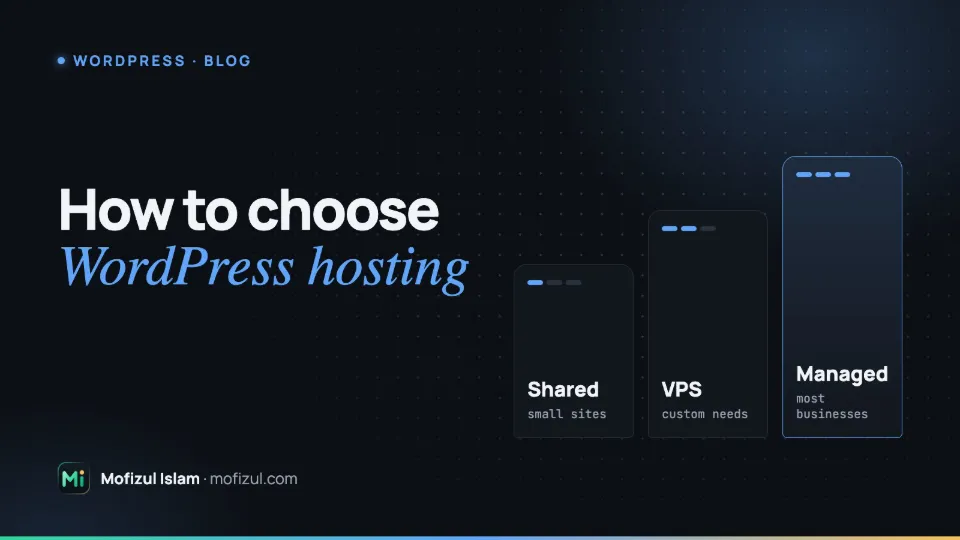
- Choose the type: shared for tiny sites, managed for most businesses, VPS for custom needs.
- Check PHP version, storage, caching and PHP workers.
- Confirm daily backups with self-service restore.
- Test support with one real question.
Following these steps, most owners land on a solid plan within an hour.
Questions to ask a host before you buy
A short email to sales or support saves a lot of trouble later. For example, ask these questions and compare the answers:
- Which PHP versions do you support, and how do I switch?
- How many PHP workers does this plan include?
- Where are backups stored, and can I restore them myself?
- Is a staging site included?
- What happens if my site is hacked?
Clear, specific answers are a good sign. On the other hand, vague replies or pressure to upgrade suggest the support will be weak later, too.
Moving to a new host
Switching hosts sounds scary, but it is routine. First, take a full backup. Next, copy the site to the new host and test it on a temporary address. Then lower the DNS time-to-live a day ahead, switch DNS and check forms, emails and payments. Finally, keep the old plan for a week as a safety net. Done this way, visitors never notice the move.
WordPress hosting: common questions
Is managed hosting worth the price?
For most businesses, yes. After all, the time saved on updates, backups and support usually outweighs the extra monthly cost.
Do I need a CDN?
If your visitors come from several countries, yes. A CDN such as Cloudflare serves files from locations near each visitor, so pages load faster everywhere.
How often should I review my hosting?
Once a year, or whenever traffic grows quickly. Your needs change, and so do hosting offers.
Conclusion
To choose WordPress hosting well, focus on modern PHP, fast storage, caching, backups and real support, not on "unlimited" promises. The right host makes everything else easier, from speed to security.
Need help choosing a host or moving your site? Get in touch, or see my services.