
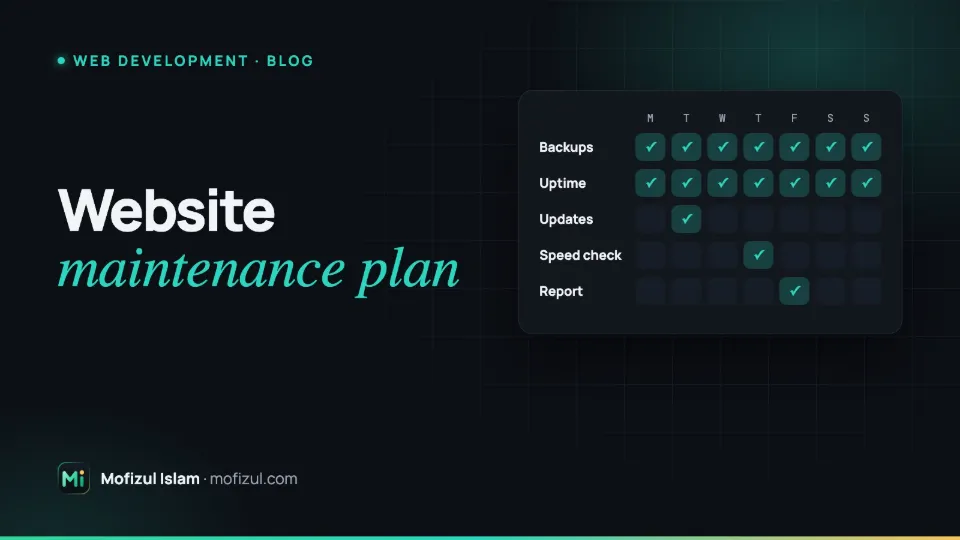
Short answer: A website maintenance plan covers core, theme and plugin updates, tested backups, security and uptime monitoring, speed checks, small content changes and a monthly report. Because most tasks run weekly or monthly, problems are fixed before visitors notice them.
Contrary to what many people expect, a website is not finished on launch day. Like a car, it needs regular care to stay fast, safe and reliable. A website maintenance plan turns that care into a simple routine, so problems are fixed before visitors notice them.
In this guide, I list what a good plan includes, how often each task should happen, and how to budget for it. I offer maintenance to my own clients, so these are the tasks I actually do every month.
Why a website maintenance plan matters
Most website problems grow slowly. For example, plugins fall behind, backups stop running, or a form quietly breaks. Nobody notices until sales drop or a hacker gets in. As a result, fixing the damage costs far more than preventing it.
In addition, search engines reward fast, secure and working sites. So maintenance also protects the traffic you worked hard to earn.
1. Core, theme and plugin updates
Updates fix security holes and bugs, which is why they come first in every plan. WordPress explains the process in its official update guide. I apply minor updates weekly and test major ones on a staging copy before they go live. That way, an update never breaks the live site.
2. Backups you can actually restore
Next, daily backups should go to a separate location, not just the same server. Keep at least 30 days of history. Above all, test a full restore a few times a year. A backup that fails to restore is not a backup at all.
3. Security monitoring
First, a firewall, malware scans and login protection form the basic shield. Then someone has to read the alerts. My WordPress security checklist lists the full set of steps that a maintenance plan should keep in place.
4. Uptime and error monitoring
Additionally, uptime checks ping your site every few minutes and alert you when it goes down. Meanwhile, error logs show broken pages, failed payments or PHP errors. As a result, catching these early often prevents lost orders.
5. Speed checks
Over time, sites slow down as content and plugins pile up. So a good website maintenance plan includes a monthly speed check of key pages. For background, see my guide to WordPress Core Web Vitals.
6. Small content and design changes
Beyond that, many plans include a few hours per month for small jobs. For instance, updating prices, adding a page or changing a banner. This saves you from booking a new project for every little change.
7. Monthly report
Finally, a short report shows what was updated, any issues found, uptime and basic traffic numbers. It keeps you informed, and it proves the work was done.
How often should website maintenance happen?
- Daily: backups, uptime checks, security scans.
- Weekly: updates and a quick functional test of forms and checkout.
- Monthly: speed check, database cleanup, user review and the report.
- Twice a year: a full restore test and a deeper security review.
Signs you need a website maintenance plan now
Some sites need attention sooner than others. For example, if any of these sound familiar, it is time to act:
- The admin shows many pending updates, some of them months old.
- You are not sure when the last backup ran, or where it is stored.
- Pages feel slower than they did a year ago.
- A form or the checkout broke once, and nobody noticed for days.
- The person who built the site is no longer available.
Each of these is a small risk on its own. However, together they add up to a real chance of downtime, lost orders or a hacked site. Fortunately, a short health check usually reveals the problems within a day. After that, a regular plan keeps them from coming back.
In my experience, the first month of a new plan takes the most work, because old updates and conflicts must be cleared. From then on, the routine is light and predictable.
How much does a website maintenance plan cost?
Naturally, prices depend on the size of the site and how much support time is included. A simple business site needs much less work than a busy WooCommerce store. In general, expect a monthly fee that covers the routine tasks above, plus a small block of hours for changes. Stores and custom apps cost more, because checkout and integrations need careful testing after each update.
Compare plans by what is included, not only by price. A cheap plan that skips testing or restores can cost you far more in the long run.
DIY website maintenance or hire someone?
Of course, you can do basic maintenance yourself if you have the time and some technical comfort. However, most business owners prefer to hand it off. In practice, a developer who knows your site can do the work faster and spot problems you would miss.
Website maintenance: common questions
Is maintenance needed for a small site?
Yes. In fact, small sites are attacked just as often, because bots do not care about size. Even a five-page site needs updates and backups.
Does my host already do this?
Partly. Many hosts run server backups and security. However, they rarely test updates, fix plugin conflicts or check that your forms still work.
Can I cancel a plan?
A fair plan has no long lock-in. Moreover, you should always keep admin access and copies of your backups.
Choosing the right website maintenance plan
To sum up, a good plan covers updates, tested backups, security, uptime, speed and a monthly report. Add a few support hours, and your site stays healthy without surprise bills.
Want me to look after your site? Get in touch and I will suggest a plan that fits it. You can also see my services.