
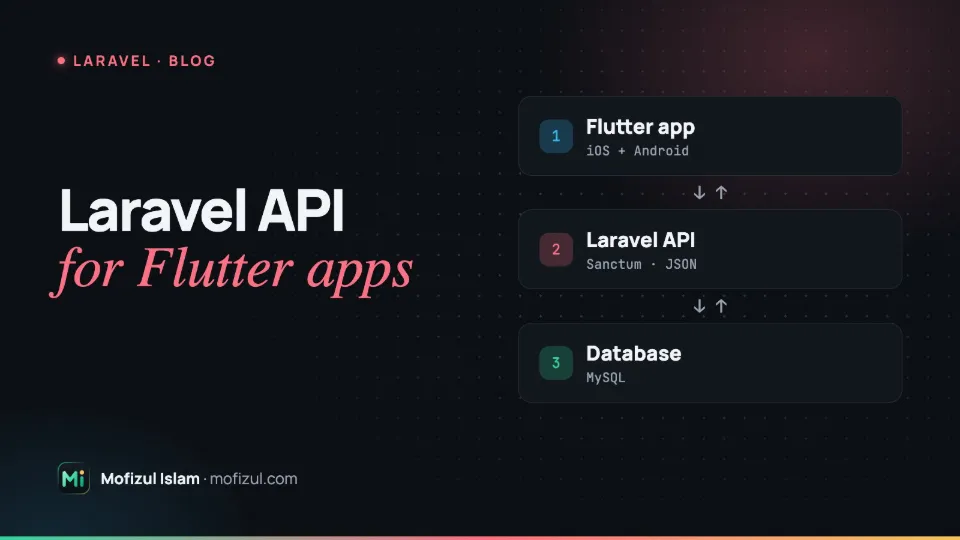
Flutter builds a beautiful app, but the app still needs a backend. It needs somewhere to log users in, store data and run business rules. A Laravel API for Flutter is one of the most productive combinations I know, and I use it on client projects. This guide walks through the setup step by step.
Why use a Laravel API for Flutter?
Laravel gives you routing, validation, authentication, queues and a clean database layer out of the box. Flutter only needs JSON over HTTPS. As a result, the two fit together naturally, and one developer can own both sides.
You also get a single backend for the future. For example, a web dashboard or a second app can use the same API later.
Step 1: Create the Laravel project and API routes
Start a new project and install the API scaffolding. Recent Laravel versions add routes/api.php and Sanctum with one command:
composer create-project laravel/laravel shop-api
cd shop-api
php artisan install:api
Then define your routes in routes/api.php. Group them under a version prefix from day one.
Step 2: Add login with Laravel Sanctum
Sanctum issues simple API tokens, which suit mobile apps well. The app sends an email and password, and Laravel returns a token:
Route::post('/login', function (Request $request) {
    $data = $request->validate([
        'email' => ['required', 'email'],
        'password' => ['required'],
        'device' => ['required', 'string'],
    ]);
    $user = User::where('email', $data['email'])->first();
    abort_unless($user && Hash::check($data['password'], $user->password), 422, 'Invalid login');
    return ['token' => $user->createToken($data['device'])->plainTextToken];
});
Next, protect private routes with the auth:sanctum middleware. The app sends the token in an Authorization: Bearer header on every request.
Step 3: Shape responses with API resources
Importantly, never return database models directly. Instead, use API resources to control exactly which fields leave the server:
class OrderResource extends JsonResource
{
    public function toArray($request): array
    {
        return [
            'id' => $this->id,
            'total' => $this->total,
            'status' => $this->status,
            'created_at' => $this->created_at->toIso8601String(),
        ];
    }
}
This keeps private fields hidden. Moreover, it lets the database change without breaking the app.
Step 4: Validation and consistent errors
First, validate every request with Form Requests. Laravel then returns a 422 response with clear messages per field. In Flutter, show those messages next to the right input. Consistent error shapes save hours of debugging on the mobile side.
Step 5: Pagination, speed and caching
Mobile networks are slow and unreliable. Therefore, always paginate lists with ->paginate(20), and load relations with with() to avoid extra queries. Cache expensive data, such as categories or settings, for a few minutes. Also compress responses on the server.
Step 6: Call the Laravel REST API from Flutter
On the Flutter side, keep all API calls in one service class. Store the token securely, for example with flutter_secure_storage, and attach it to every request:
final res = await http.get(
  Uri.parse('$baseUrl/api/v1/orders?page=1'),
  headers: {'Authorization': 'Bearer $token', 'Accept': 'application/json'},
);
if (res.statusCode == 401) {
  // Token expired or revoked: send the user back to login.
}
After that, map the JSON to Dart models, and handle 401, 422 and network errors in one place.
Testing the Laravel REST API
Automated tests protect your app from surprises. Laravel makes API tests easy, so write a few for every endpoint. For example, test that a guest gets 401, that invalid input gets 422, and that a valid request returns the right JSON shape.
public function test_user_sees_only_their_orders(): void
{
    $user = User::factory()->hasOrders(3)->create();
    Sanctum::actingAs($user);
    $this->getJson('/api/v1/orders')
        ->assertOk()
        ->assertJsonCount(3, 'data');
}
Run the tests on every push. As a result, a change on the server can never quietly break the Flutter app. In addition, share an API document with the mobile team, generated from your routes, so both sides agree on every field.
Security checklist for your Flutter backend
- Serve the API over HTTPS only.
- Rate-limit login and other sensitive routes.
- Check permissions with policies, not just authentication.
- Revoke tokens on logout and password change.
- Never put secret keys inside the Flutter app.
Versioning and long-term upkeep
Old app versions stay on phones for months, because not everyone updates. So never break an existing endpoint. Add new fields instead, or create /api/v2 for big changes. Above all, log errors with a monitoring tool, so you hear about problems before users do.
Common questions
Sanctum or Passport for a Laravel API for Flutter?
For your own mobile app, Sanctum is simpler and enough. On the other hand, Passport adds full OAuth2, which you only need when other companies' apps must log in to your API.
Should I use GraphQL instead of REST?
Usually not at first. A well-designed REST API is easier to cache, test and debug. Later, you can add GraphQL if screens need very different data shapes.
Where should I host the Laravel REST API?
A small VPS or a managed Laravel platform works well for most apps. Whichever you choose, add HTTPS, automatic backups and error monitoring from day one.
Wrapping up
A Laravel API for Flutter gives you a fast, secure and maintainable foundation. Start with Sanctum, resources and validation, then add caching and versioning as you grow. If you are still choosing the mobile framework, read my comparison of Flutter vs React Native.
Need a Laravel backend for your app, or a full app from scratch? Tell me about your project, or see my services.