
Headless WordPress is a popular idea in modern web development. You keep the WordPress admin that editors love, but you build the public site with a JavaScript framework such as React. Done well, the result is fast and flexible. Done badly, it doubles your costs for little gain.
In this guide I explain how headless WordPress works, where it shines, and when a normal WordPress site is the smarter choice.
What is headless WordPress?
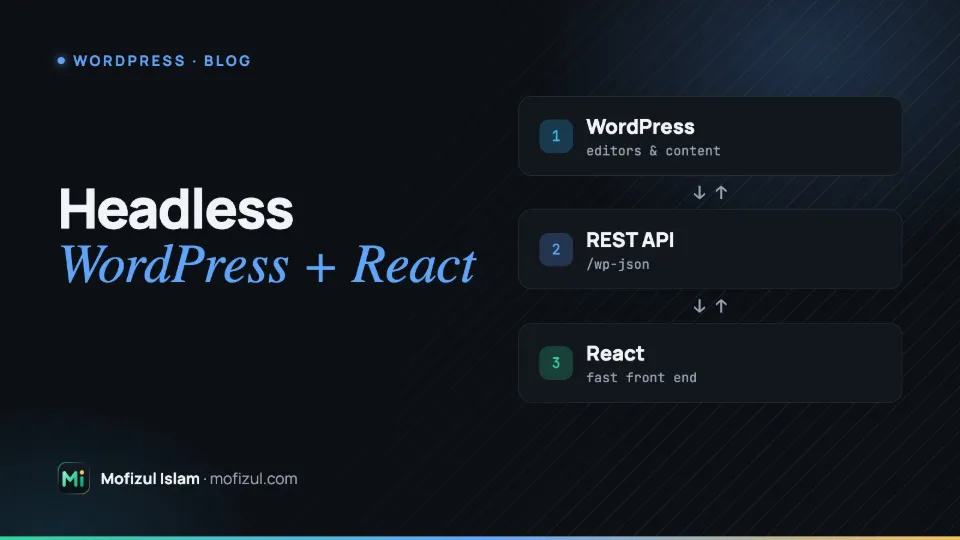
A normal WordPress site does two jobs. It stores your content, and it also renders the pages with a theme. A headless setup removes the second job. WordPress only stores content and serves it through an API. Then a separate front end, often built with React, fetches that content and displays it.
In other words, WordPress becomes the "head-less" back office, while React becomes the shop window.
How the pieces connect
WordPress includes a REST API out of the box. For example, /wp-json/wp/v2/posts returns your posts as JSON. Some teams add GraphQL with a plugin for more precise queries. The React app then calls these endpoints, either at build time, on each request, or in the browser.
For SEO, the React side should render pages on the server, not only in the browser. Frameworks such as Next.js or TanStack Start do exactly that.
Benefits of headless WordPress
- Speed. Pages can be pre-rendered and served from a CDN, so they load very fast.
- Design freedom. The front end is not limited by WordPress themes.
- Security. The WordPress admin can sit on a hidden address, away from public traffic.
- Multiple channels. The same content can feed a website, a mobile app and more.
Drawbacks to consider
However, headless is not free. First, you now maintain two applications instead of one. Second, many plugins stop working on the front end, including most page builders, form plugins and some SEO features. Third, editors lose the live preview unless you build it back. As a result, both build and maintenance costs go up.
Headless WordPress and SEO
A headless site can rank very well, but only if you handle SEO yourself. Plugins like Yoast still store titles and descriptions, yet your React app must output them. Likewise, you need to generate the sitemap, canonical tags and structured data. Server-side rendering is essential, because search engines must see full HTML.
The site you are reading is a good example of this approach. It is built with TanStack Start and server-rendered on Cloudflare; I describe the setup in this deployment guide.
When headless WordPress makes sense
- You need an app-like front end with complex interactions.
- Content must feed several channels, such as web and mobile.
- Performance at scale is critical, for example a large media site.
- You have a development team to maintain both parts.
When to keep normal WordPress
- Your site is mainly pages, posts and forms.
- Editors rely on page builders or visual previews.
- Your budget is limited, or there is no developer on hand.
- You use plugins that output front-end features, such as WooCommerce.
In many cases, a fast, well-built classic theme gets you most of the speed benefit at a fraction of the cost. My WordPress Core Web Vitals guide shows how.
A middle path: hybrid setups
You do not have to choose all or nothing. For instance, keep the marketing site on normal WordPress and build only an app section in React. Or embed small React components inside a classic theme for interactive tools. These hybrid setups often give the best balance of cost and flexibility.
How much does headless WordPress cost?
A headless build usually costs more than a classic theme, for three reasons. First, you build two applications: the WordPress back end and the React front end. Second, features that plugins give you for free, such as forms, SEO tags and previews, must be rebuilt on the front end. Third, hosting now covers two systems, although the front end is often cheap to run on a CDN.
Maintenance costs rise too. For example, every WordPress update must be checked against the API your front end relies on, and the React app needs its own updates. Therefore, budget for ongoing developer time, not just the initial build.
On the other hand, the investment can pay off for the right project. A large content site with heavy traffic may save on hosting and gain conversions from faster pages. Likewise, a company that feeds content into an app avoids maintaining two content systems. So compare the extra cost against those concrete gains, not against a vague idea of "modern".
Decoupled WordPress: common questions
Is headless WordPress faster?
Often, yes, because pages can be served from the edge. However, a well-optimized classic site can be nearly as fast, and it is cheaper.
Can WooCommerce run headless?
Yes, through its Store API. Still, cart and checkout need careful work, so budget extra time.
Will my editors notice a difference?
They keep the same admin. On the other hand, live previews and some plugins may behave differently, so plan training.
Is headless WordPress right for you?
Choose headless WordPress when you need an app-like front end, many channels or extreme performance, and you have a team to support it. Otherwise, a fast classic WordPress site is usually the better investment.
Not sure which way to go? Tell me about your project and I will give you an honest recommendation. You can also see my services.